ClockShark Lightning
AI Time Tracking Software for Field Teams
ClockShark Lightning brings practical AI to time tracking for construction and field service teams. It works inside the ClockShark app your crew already uses, starting with JobReady, an AI shift brief that tells each person where to go and what the job needs, plus Task Checklists and Mileage Tracking. A person stays in control of every record.
Already a ClockShark customer? Upgrade my account
 on Capterra and G2






What is AI time tracking software?
AI time tracking software uses artificial intelligence to reduce the manual work around tracking a crew’s time. It prepares crews for the day automatically, catches missed steps, and summarizes what happened on a job, while a person still reviews and approves every record. It assists time tracking rather than replacing it.
ClockShark Lightning is that idea, built for construction and field service.
What is ClockShark Lightning?
ClockShark Lightning is AI built into ClockShark time tracking, made for construction and field service teams. At launch it adds one AI agent, JobReady, and two new features, Task Checklists and Mileage Tracking. They run inside the ClockShark app your crew already carries, and a person always reviews and controls the record.

JobReady
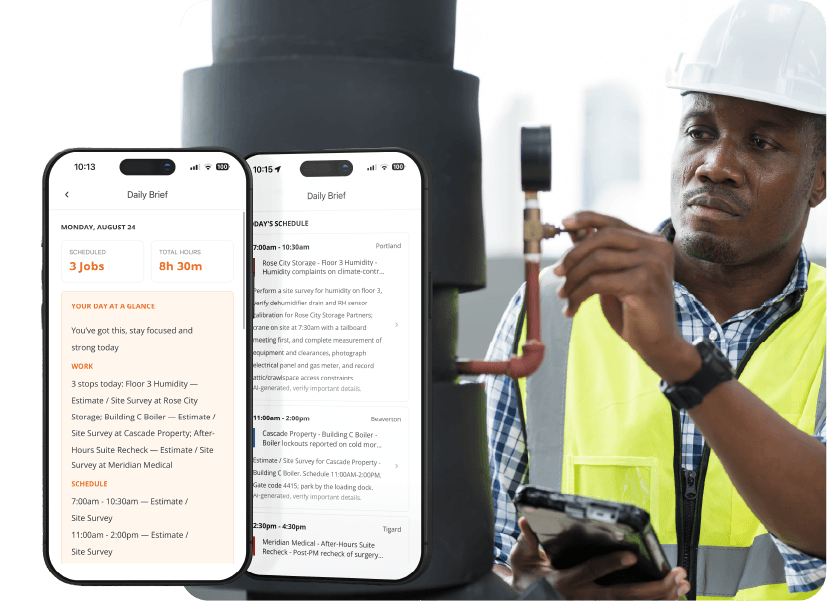
An AI-generated brief that turns the day’s schedule, jobs, and notes into a clear starting point for every crew member.
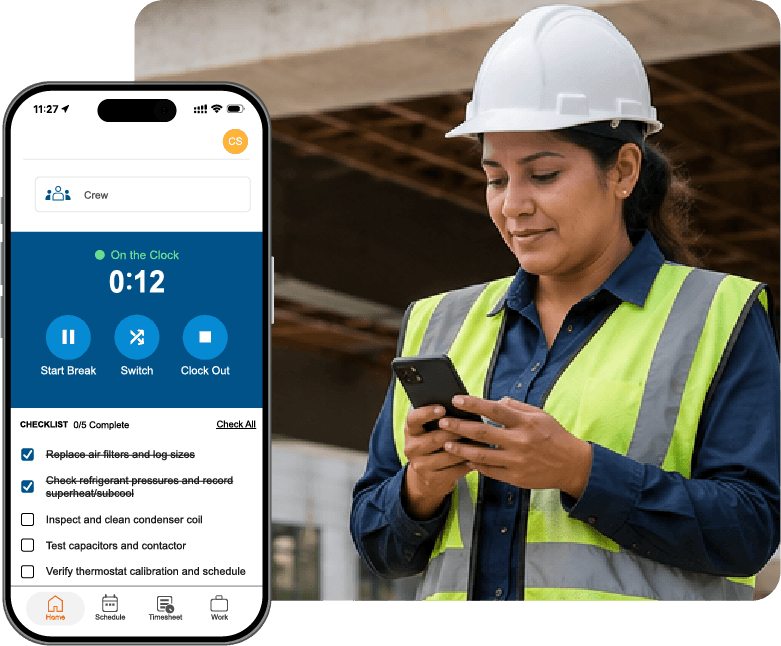
Task Checklists
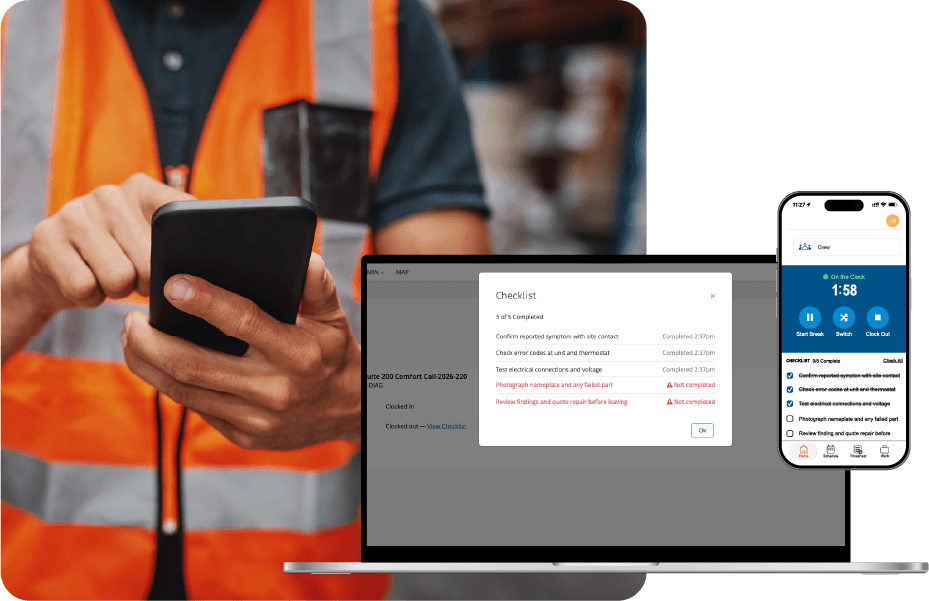
A step-by-step list that makes sure nothing gets missed on a job, with every item timestamped.

Mileage Tracking
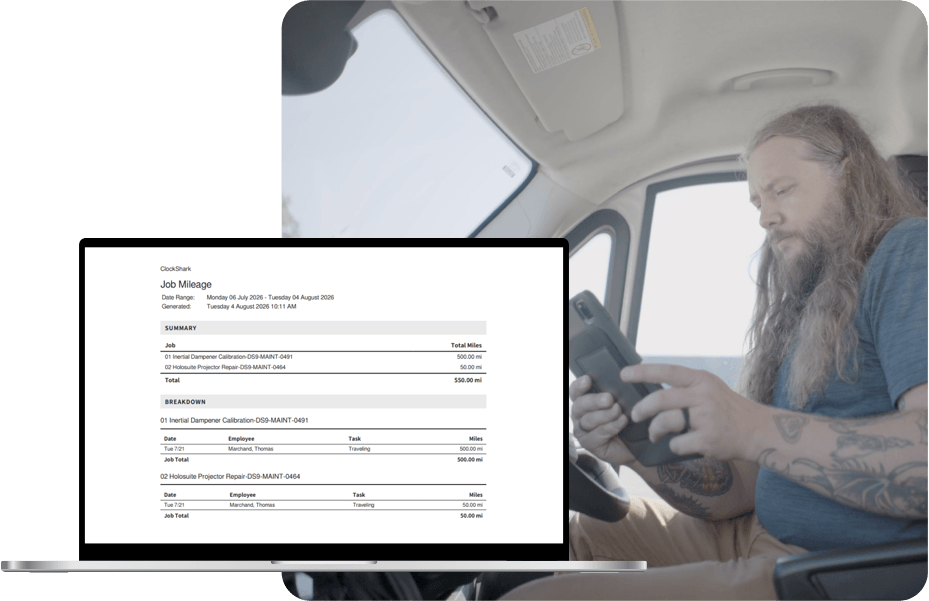
Miles entered at clock-out, exported clean for payroll instead of lost in notes and texts.
JobReady: an AI shift brief for every crew member
JobReady composes a short brief the moment a crew member opens the app on a scheduled day — pulling together the job, the schedule, site notes, checklists, and attachments so there’s no guessing where to start.
JobReady only ever produces a brief. It doesn’t change a schedule, a job, or a record on its own — the office stays in control of the source data, and the brief simply reflects it.
Trigger
Crew member opens the mobile app on a scheduled day
Approved data
Schedule, jobs, site notes, checklists, attachments
Human control
Brief only — no autonomous action
Task Checklists: timestamped job steps in the field
Build a checklist of up to 20 items right from the web app, and it appears automatically the moment a crew member clocks in — no extra step, nothing to remember to open.
Every item is timestamped as it’s checked off, so the office has a clean, accurate record of what happened on site and when.
Setup
Up to 20 checklist items on any task, from the web app
Delivery
Appears automatically when an employee clocks into the task
Record
Every completed item is timestamped
Mileage Tracking: miles captured at clock-out
Mileage Tracking lets crew members enter their miles at clock-out, in the same app they already use for time. Miles stay attached to the job and export for payroll, instead of getting lost in notes, texts, and end-of-month reconstruction.
Entry
Entered at clock-out, in the flow the crew already follows
Record
Miles stay attached to the job, not in a separate log
Export
Exports as a clean CSV for payroll
How AI time tracking works in ClockShark
This is JobReady, the AI. Task Checklists and Mileage Tracking are standard features and don’t run this loop.
Trigger
Opens the app on a scheduled day
Data
Schedule, jobs, notes, attachments
AI action
Composes the brief in order
Human review
Office edits the source records
Output
Brief appears, records untouched
See what JobReady writes for your next scheduled day
Already a ClockShark customer? Upgrade my account
Privacy, permissions, and control
Lightning doesn’t change how ClockShark handles your data. Here is what stays the same and who can see what.
On-clock GPS is unchanged
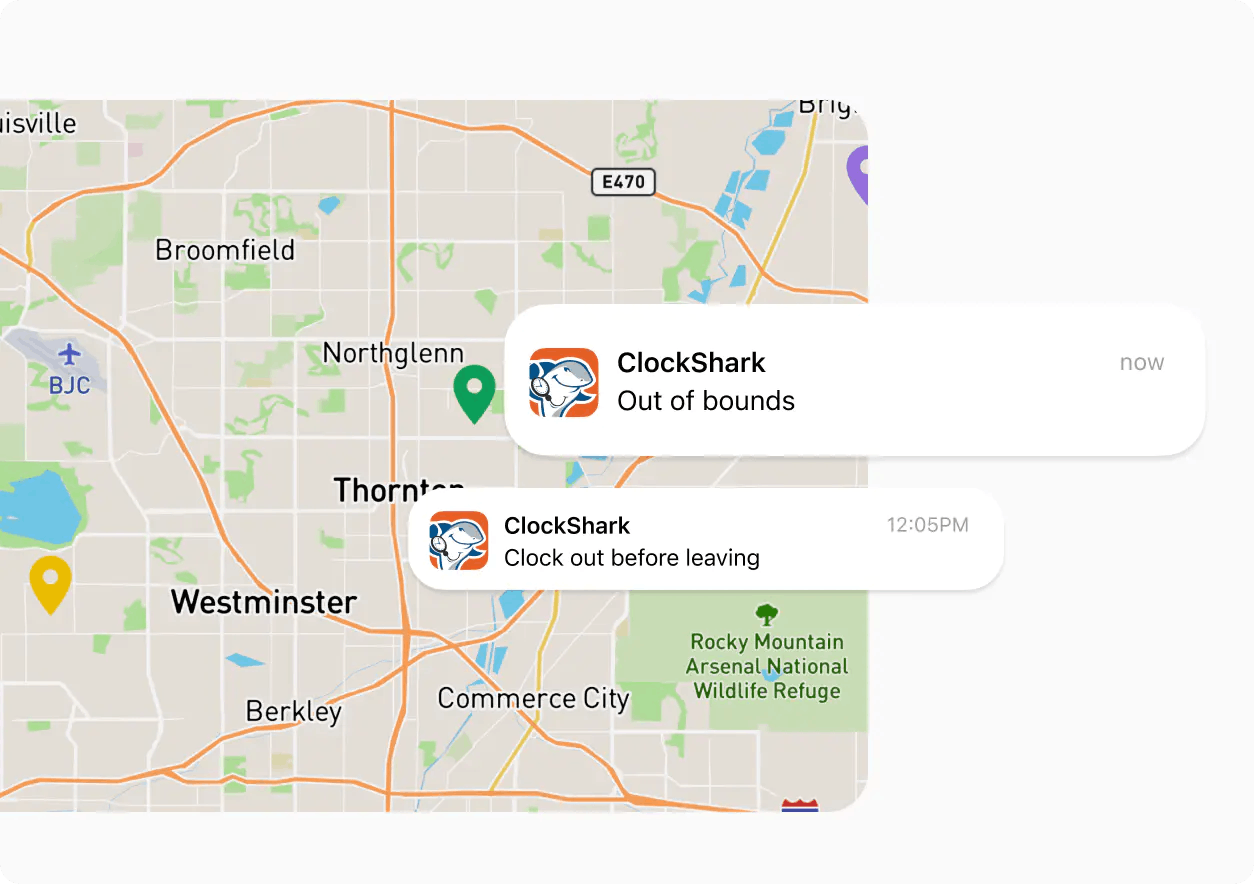
Location tracking works exactly as it does today. Lightning doesn’t add new collection.
Admin permissions carry over
Who can see and edit schedules, jobs, and notes is governed by your existing roles.
Not used to train AI models
Your data isn’t shared across brands or used to train models.
Retention and audit
Standard ClockShark retention applies. See our AI Pledge and Personal Data Protection Notice.
What AI time tracking helps field teams do
Three problems field teams deal with every week, and what JobReady, Task Checklists, and Mileage Tracking do about them.
| The Problem | The Capability | What They Do | What They Get |
|---|---|---|---|
| “What’s the plan?” calls each morning | JobReady brief | Read the brief | A clear start to the day |
| Steps missed on a job | Task Checklists | Check off work in the field | A timestamped record |
| Mileage lost in notes and texts | Mileage Tracking PRO | Enter miles at clock-out | A clean CSV for payroll |
The time tracking software Lightning builds on
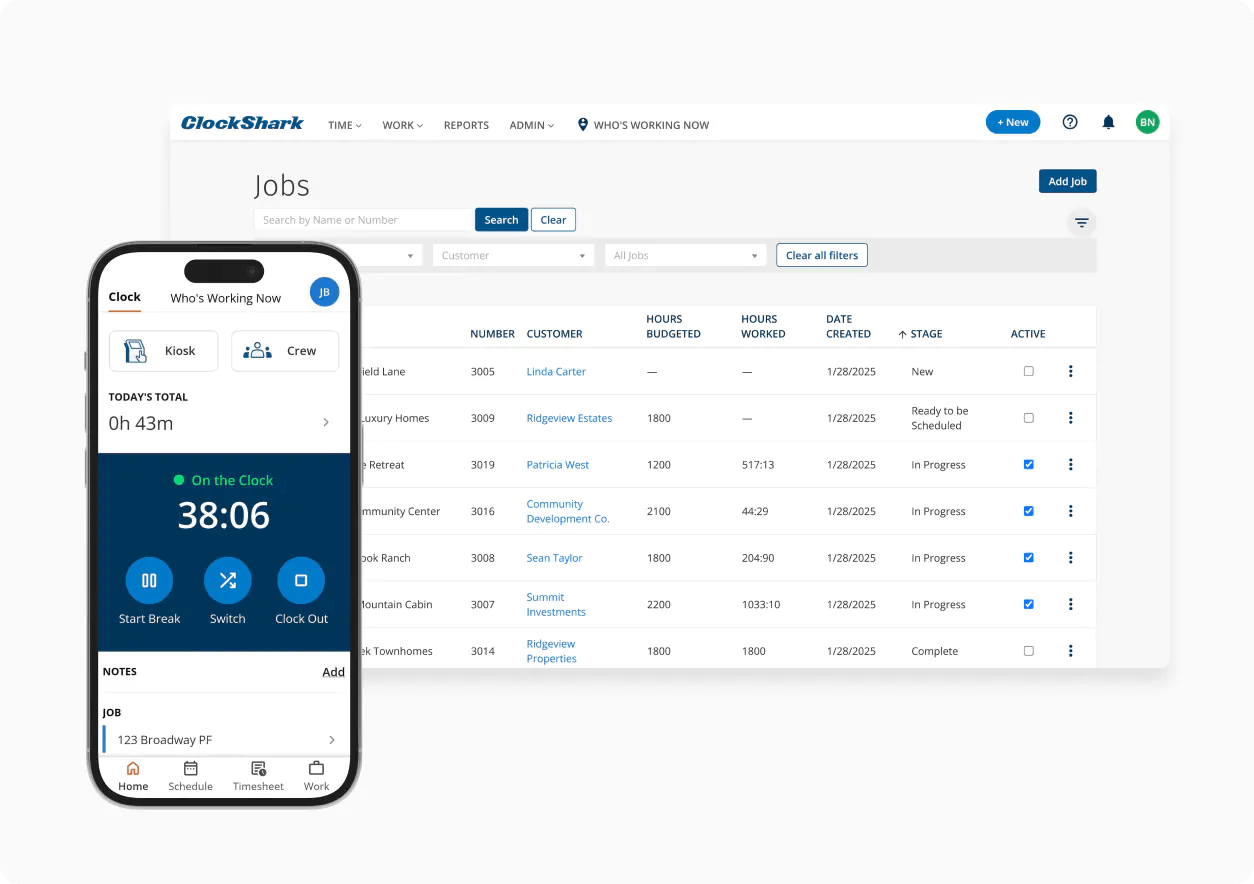
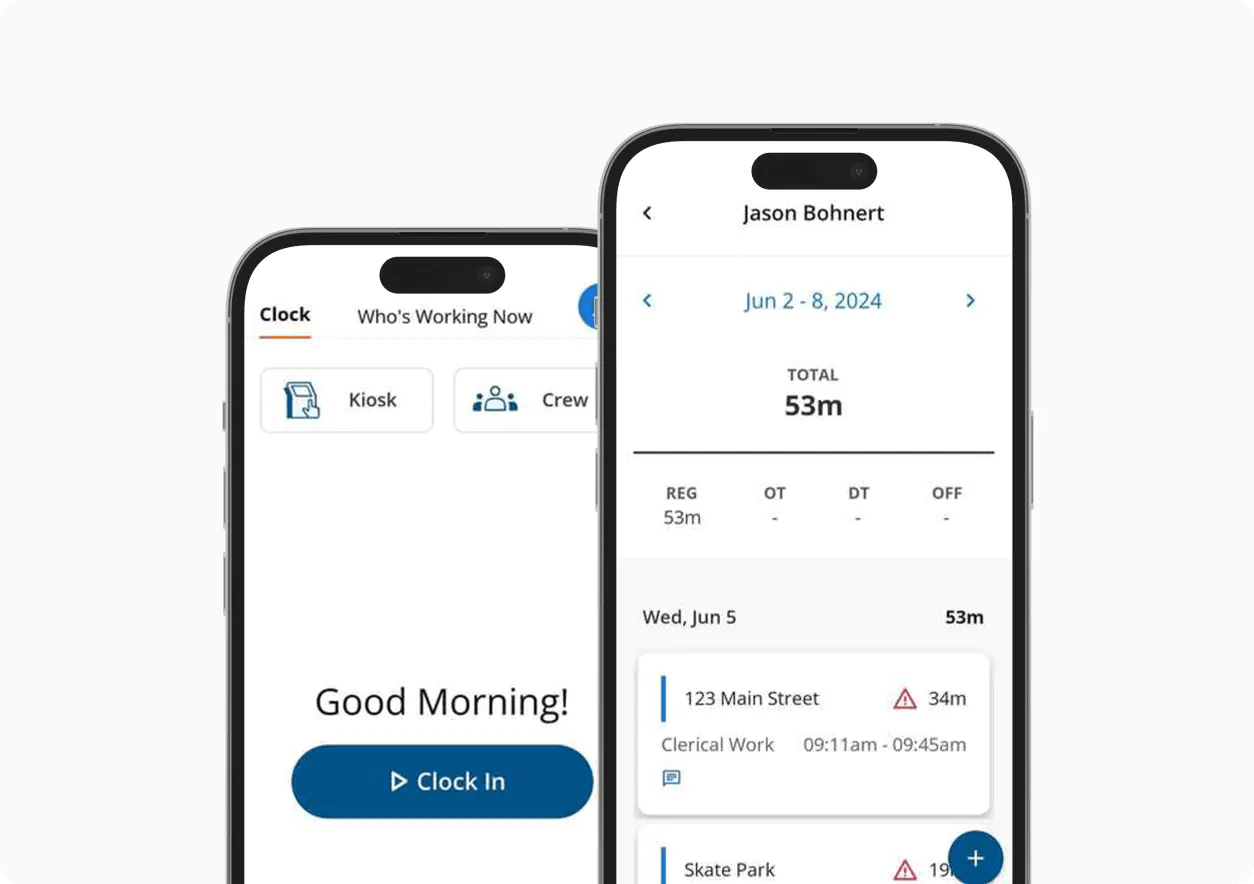
Your ClockShark time, GPS, scheduling, and payroll workflows stay exactly as they are. Lightning adds to them.

Which plans include ClockShark Lightning
Lightning is AI inside the ClockShark app you already use. JobReady and Task Checklists are on all plans, Mileage Tracking is Pro. Nothing to download or turn on.
| Feature | Standard | Pro |
|---|---|---|
| JobReady |  | |
| Task Checklists | | |
| Mileage Tracking |  | |
Already a ClockShark customer? Upgrade my account
See ClockShark Lightning in action
A walkthrough, end to end: turning on the daily brief, building a checklist, what your crew sees in the app, and how completion shows up back in the office.
Frequently asked questions
What AI time tracking software is, how JobReady reads your ClockShark schedule and notes, and why a person stays in control of every record.
AI time tracking software uses artificial intelligence to reduce the manual work around tracking a crew's time — for example, preparing crews for the day automatically or catching missed steps — instead of replacing time tracking itself.
ClockShark Lightning is a set of AI-powered capabilities built into the ClockShark app you already use, starting with JobReady briefs and Task Checklists.
When a crew member opens the app on a scheduled day, JobReady pulls together the schedule, job details, site notes, checklists, and attachments into a short brief. It only ever produces a brief — the office stays in control of the underlying records.
Task Checklists let you build a list of up to 20 items in the web app. The checklist appears automatically when a crew member clocks in, and every item is timestamped as it's checked off.
No. Lightning is built into the ClockShark app your crew already uses — there's nothing new to download or set up.
Yes. Edit the underlying schedule or notes and the brief follows. Nothing is locked or automatic.
No. Your ClockShark data stays with your account — it isn't shared with other brands or used to train AI models.
JobReady and Task Checklists roll out automatically — there's nothing to turn on. Mileage Tracking is available on the Pro plan.
See ClockShark Lightning for yourself
Start a free trial and see JobReady on your next scheduled day.
Already a ClockShark customer? Upgrade my account