Running a cleaning business means juggling tight schedules, multiple job sites, and a team that’s constantly on the move. Without a reliable way to track hours, it’s easy for small issues like missed clock-ins, inaccurate timesheets, or unclear job durations to turn into bigger problems such as payroll errors, billing disputes, and lost profits.
That’s where cleaning time tracking apps come in. The right software helps you monitor hours in real time, manage labour costs, and keep every job running smoothly without chasing paperwork or manual timesheets.
In this guide, we’ll explore the top 10 time tracking apps for cleaning businesses in 2026, breaking down their key features, integrations, pros, cons, and user reviews. Whether you’re running a small cleaning crew or managing multiple teams across different locations, these tools can help improve accountability and ensure every minute worked is accurately recorded and billed.
TL;DR
| App Name | Best For | Indicative Pricing* | Rating |
|---|---|---|---|
Field service businesses needing GPS time tracking and job management | From $40/month base + $9/user/month | ⭐ 4.6/5 (G2) | |
Home service businesses managing scheduling, invoicing, and client communication | From $29/month, with higher tiers $99/month | ⭐ 4.6/5 (G2) | |
Teams needing simple or free time tracking for projects | Free plan available; paid plans from $5.49/user/month | ⭐ 4.5/5 (G2) | |
Small field teams wanting mobile time clocks with GPS tracking | From $5.65/user/month, with higher tiers $7–$16.55/user/month | ⭐ 4/5 (G2) | |
Deskless teams managing scheduling, time tracking, and team communication | From $29/month for up to 30 users (free plan up to 10 users) | ⭐ 4.6/5 (G2) | |
Agencies and service teams tracking billable hours and invoicing | Free plan available; paid plans from $9/user/month | ⭐ 4.3/5 (G2) | |
Shift-based teams needing employee scheduling and attendance tracking | From $5/user/month or $9/user/month combined | ⭐ 4.6/5 (G2) | |
Teams wanting productivity tracking and automated time tracking | Free plan available; paid plans from $3.99/user/month | ⭐ 4.7/5 (G2) | |
Businesses already using QuickBooks for payroll and accounting | From $19/month, with tiers $37.50–$137.50/month | ⭐ 4.4/5 (G2) | |
Mid-size companies needing integrated payroll, HR, and time tracking | Custom pricing based on company size | ⭐ 4.0/5 (G2) |
1. ClockShark
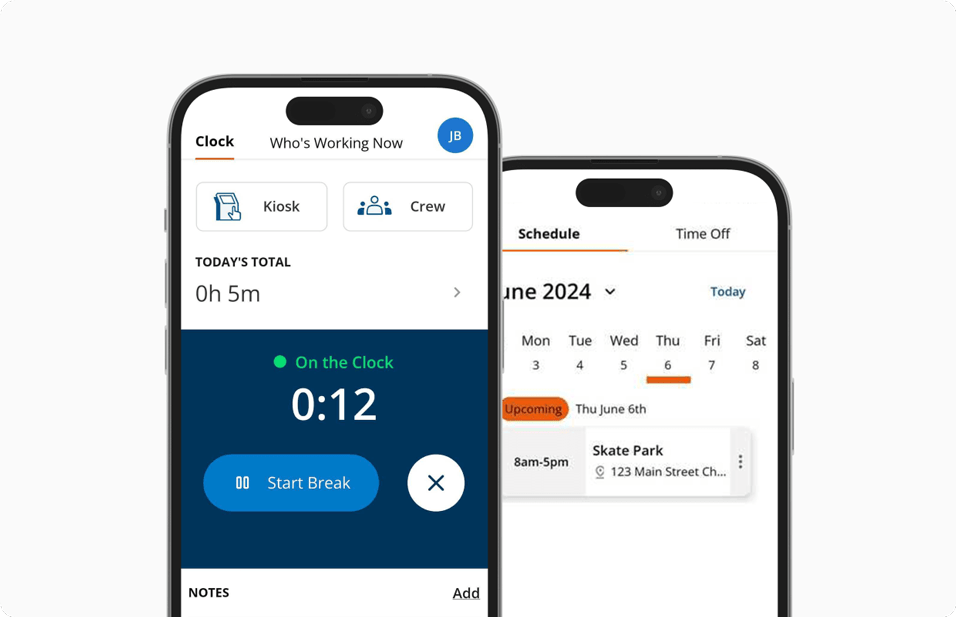
ClockShark is designed for cleaning businesses that need a simple way to track time across multiple jobs and locations. Built with cleaners and supervisors in mind, it makes it easy to log hours, see where teams are working, and keep the office connected to what’s happening in the field. Many cleaning teams use it to manage everything from regular site visits to one-off deep cleans, helping keep payroll accurate and jobs running smoothly.
Key features
Mobile Time Tracking: Track time in real-time, anywhere, with the mobile app.
Job Scheduling: Assign tasks to teams and keep track of job progress.
Payroll Integration: Syncs with payroll systems for smooth payroll processing.
GPS Tracking: Monitor employee locations and ensure accurate job site tracking.
Customizable Reporting: Get detailed reports on labor costs, hours worked, and job progress.
| Pros | Cons |
|---|---|
User-Friendly Interface: Simple and intuitive for both managers and field workers. | Initial Setup Time: Might require time to set up for large teams. |
Efficient Time Tracking: Accurate time tracking down to the minute. | Limited Features on Lower Plans: Access to advanced features requires a higher-tier plan. |
Affordable Pricing Options: Suitable for small to large cleaning businesses. |
Pricing
ClockShark uses a base-plus-per-user pricing model, with plans starting at $40 per month + $9 per user/month for the Standard plan. The Pro plan starts at $60 per month + $11 per user/month, adding advanced job costing, reporting, and integrations. A 14-day free trial is available, allowing field service teams to test the platform before committing to it.
What users say
“I love that our teammates can clock in and out of jobs with ease. No more confusing paperwork! It's all digital now & makes time-keeping way less overwhelming!” - Louisa J, Office Manager G2 Review
2. Jobber
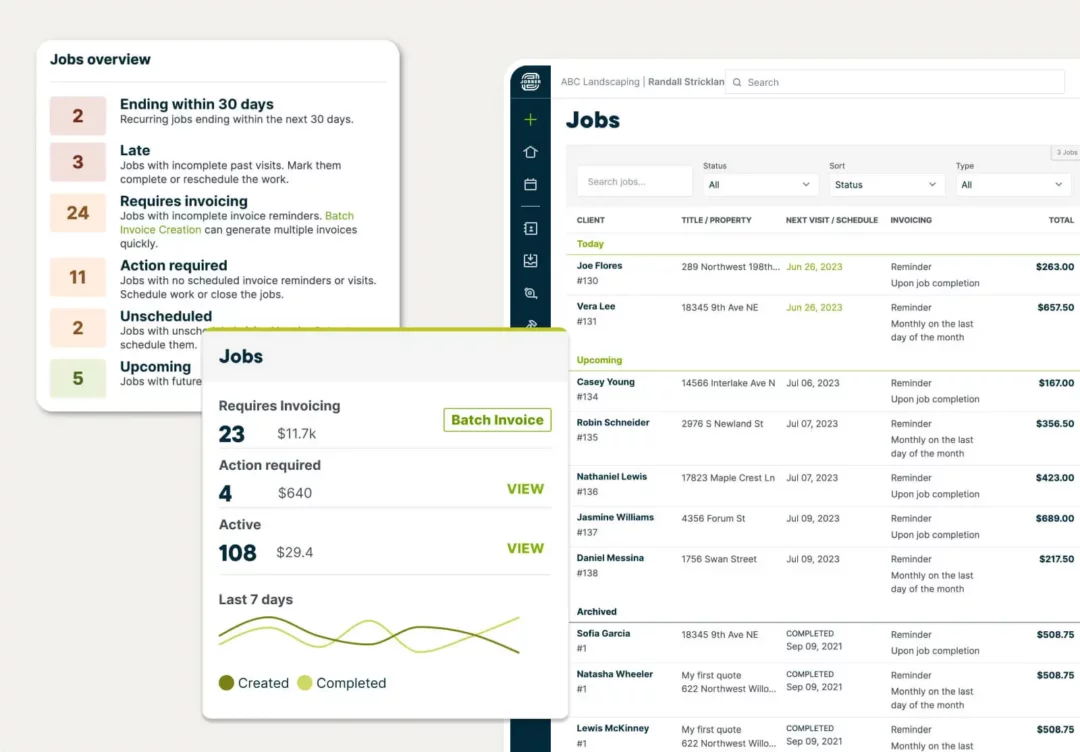
Jobber is an all-in-one service management app that supports cleaning companies with job scheduling, invoicing, and client management, providing a smooth experience from start to finish.
Key Features
Job Scheduling: Streamline job assignment and track progress in real-time.
Invoicing: Create and send professional invoices directly from the app.
Client Management: Store client information and track job history for future reference.
Quoting & Estimates: Create professional quotes and convert them into scheduled jobs with just a few clicks.
Automated Customer Communication: Send appointment reminders, job updates, and follow-ups automatically to keep clients informed.
| Pros | Cons |
|---|---|
Customer Support: Excellent support to assist with app-related queries. | Limited Customization: Lacks some customization options for specific business needs. |
Great Billing Features: Manage billing with ease, offering multiple payment options. | No Built-In Time Tracking: Does not include a time tracking feature by default, requiring integration with third-party apps. |
Pricing
Jobber offers tiered pricing. Plans start at $29 per month for a single user with the Core plan, while higher tiers are priced as follows: Connect ($99/month) and Grow ($149/month). A 14-day free trial is available, allowing teams to test the platform before committing.
What users say
“I use Jobber to send estimates, invoices, and collect payments, and I find it to be a great CRM. I love how easy it is to send an estimate and how the AI rewords it in a more professional manner. The vocabulary it uses is much better than what I come up with. Jobber keeps all my customers in one place and helps me manage my business.” Gabriel S, Small Business Owner G2 Review
3. Clockify
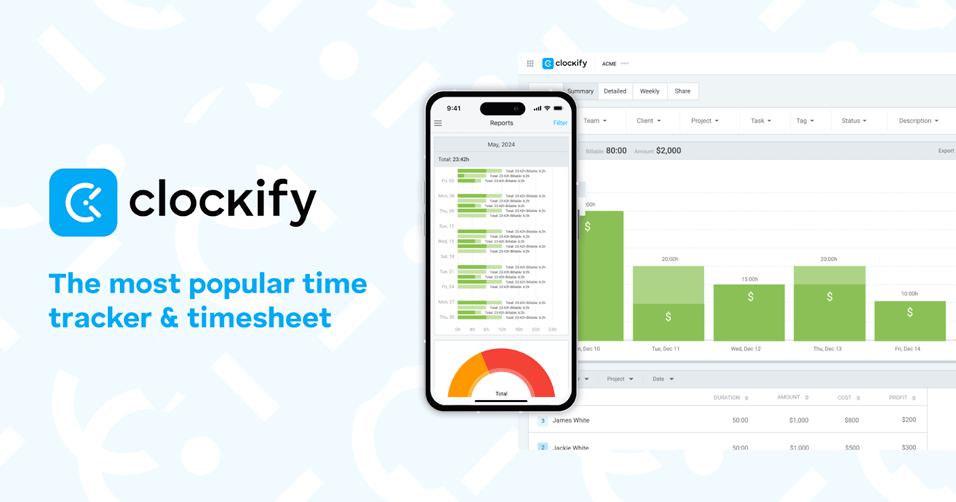
Clockify is a free time tracking app that can work well for cleaning businesses that need a simple way to track staff hours across multiple jobs, properties, and client locations. Cleaning companies often manage teams moving between residential homes, offices, or commercial sites throughout the day, and Clockify allows staff to log their working hours using a mobile app or desktop timer.
Key Features
Time Tracking: Log hours worked on various cleaning projects.
Project Tracking: Keep track of time spent on individual cleaning tasks or projects.
Automated Timesheets: Generate clear timesheets based on tracked hours to simplify payroll and reporting.
Team Time Reports: View detailed reports on staff hours and job time to help manage productivity and scheduling.
| Pros | Cons |
|---|---|
Free Version Available: Offers essential time tracking features at no cost. | Limited Features in Free Plan: More advanced features, such as integrations and reporting, are only available in paid plans. |
Easy to Use: Ideal for teams of all sizes, offering a simple interface. |
Pricing
Clockify offers flexible pricing designed for teams that need simple time tracking with the option to scale. The platform includes a free plan with unlimited users, while paid plans start at $5.49 per user/month for the Basic plan. Higher tiers unlock advanced features like time audits, scheduling, and reporting tools. A free trial is available for paid plans.
What users say
“I value its clarity and discipline. Clockify keeps time tracking straightforward, reliable, and impossible to fudge. It forces accuracy, makes reporting painless, and gives you a clean view of where hours are actually going. In short: it removes the guesswork and keeps teams honest.” Jack C, Digital Specialist, G2 Review
4. Atto
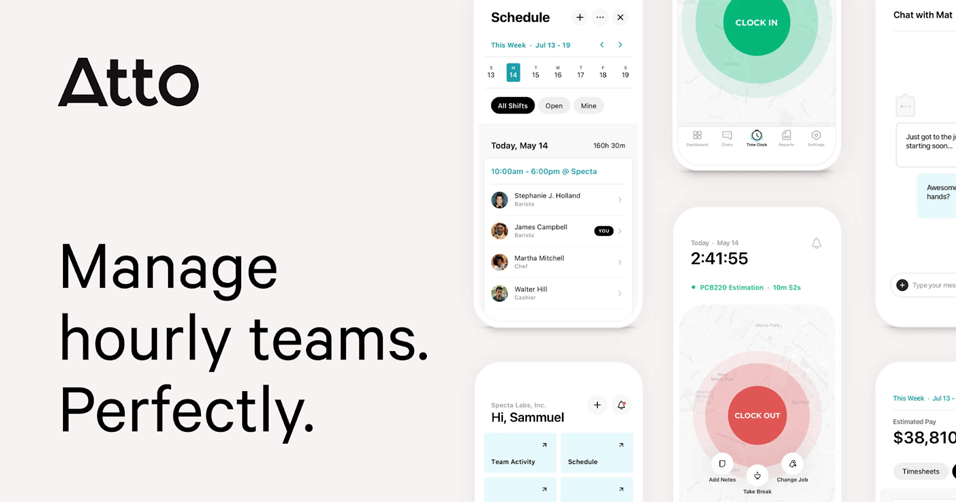
Atto offers a simple, mobile-first way for cleaning businesses to track staff hours and attendance across multiple sites. It’s well-suited to smaller cleaning teams that need a reliable way to log time on the go without unnecessary features. With GPS validation and clear reporting, Atto helps managers confirm where work was completed while keeping timesheets accurate and easy to manage.
Key Features
Mobile Clock In/Out with Live GPS Validation: Track time in real-time with GPS accuracy.
Automatic Timesheet Generation with Job Notes and Approvals: Timesheets are generated automatically with job-specific notes.
Location Tracking: Monitor team locations during shifts to confirm attendance and improve job coordination.
Break and Overtime Tracking: Automatically track breaks and overtime to help ensure accurate payroll calculations.
Team Activity Timeline: View a clear timeline of each employee’s workday, including clock-ins, job notes, and location updates.
| Pros | Cons |
|---|---|
Straightforward Setup and Mobile Interface: Quick to implement and user-friendly. | Limited Integrations with Accounting Software: Lacks some popular integrations. |
Reliable GPS Verification and Reporting: Ensures accurate, location-based time tracking. | Fewer Advanced Features than Larger Platforms: Limited features compared to bigger solutions. |
Pricing
Atto offers tiered pricing for field teams that need simple time tracking and location monitoring. Plans start at $5.65 per user/month for the Starter plan, with higher tiers like Advanced ($10.75/user/month) and Expert ($16.55/user/month. A free trial is available, allowing businesses to test the platform before committing to it.
What users say
“I like the automated timesheets it offers, which saves a lot of time and reduces errors. I can access from mobile, which helps me to work from anywhere.”, Percy R, Technology Systems Manager, G2 Review
5. Connecteam
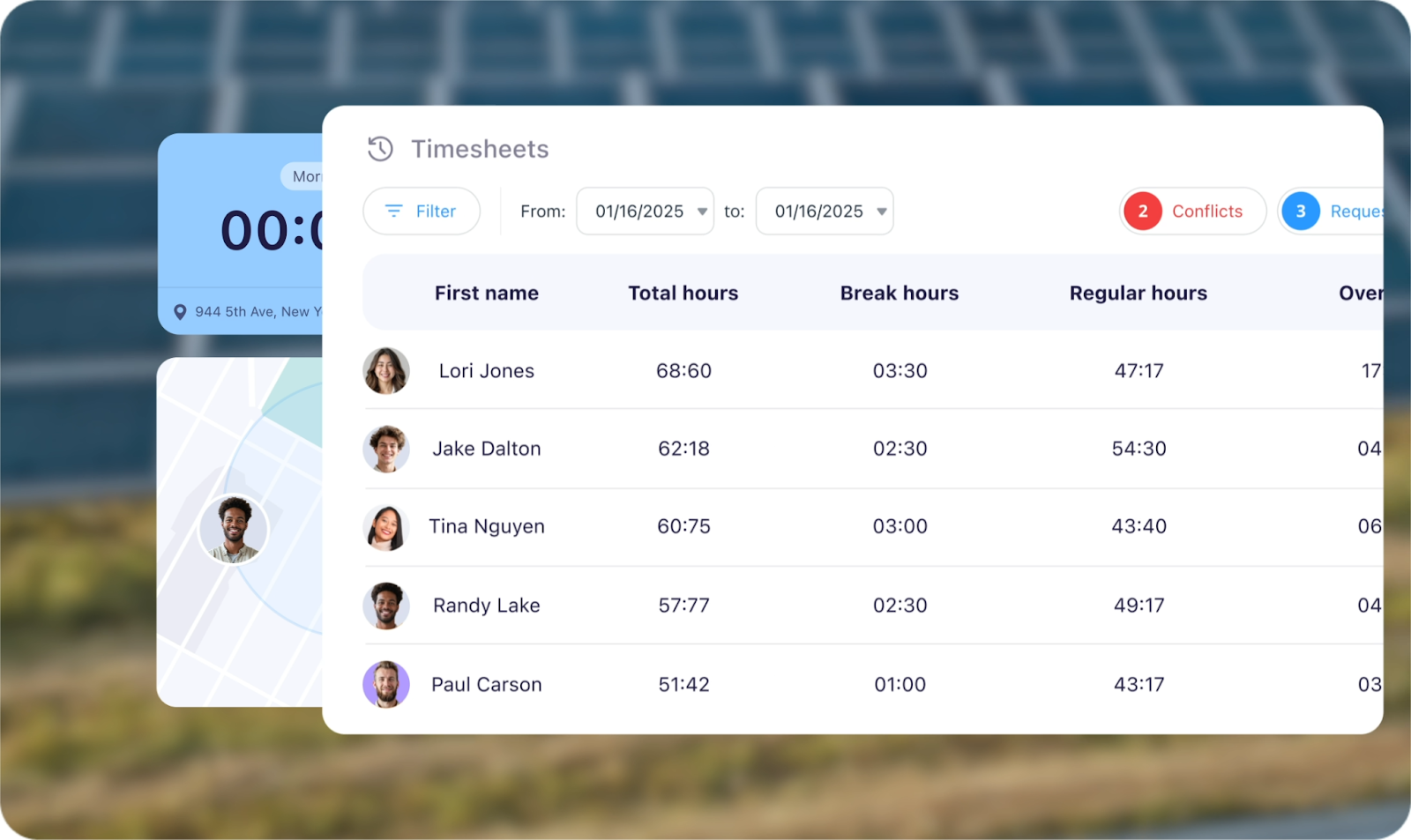
Connecteam is a comprehensive workforce management app ideal for medium to large cleaning teams. It combines time tracking, scheduling, task management, and in-app communication, helping managers coordinate staff across multiple sites and shifts. Its time-tracking tools are supported by GPS and geofencing, making it easier to confirm attendance and ensure accountability across cleaning locations.
Key Features
Geofenced time tracking to ensure clock-ins happen on-site
Drag-and-drop scheduling with automatic notifications
hours tracking and project visibility
Built-in chat and forms for job checklists, safety reports, and communication
Insightful dashboards for hours tracking and project visibility
| Pros | Cons |
|---|---|
Comprehensive platform combining multiple team management tools | Can be overwhelming if only time tracking is needed |
Excellent mobile experience for both managers and field staff | Pricing may scale quickly for very large teams |
Flexible pricing and customizable modules | Some learning curve for configuration |
Pricing
Connecteam offers flexible, flat-rate pricing designed for small and growing teams. There’s a free plan for businesses with up to 10 users, while paid plans start at $29 per month for up to 30 users. A free trial is also available, making it an affordable option for small field teams that need a simple yet scalable workforce management tool.
What users say
“I like that Connecteam keeps everything in one place. It saves me from having to switch between WhatsApp, Excel sheets, and paper schedules. With Connecteam, I have my work schedule, tasks, messages, and time tracking all within one app.” Baybee S, Small Business Owner, G2 Link
6. Harvest
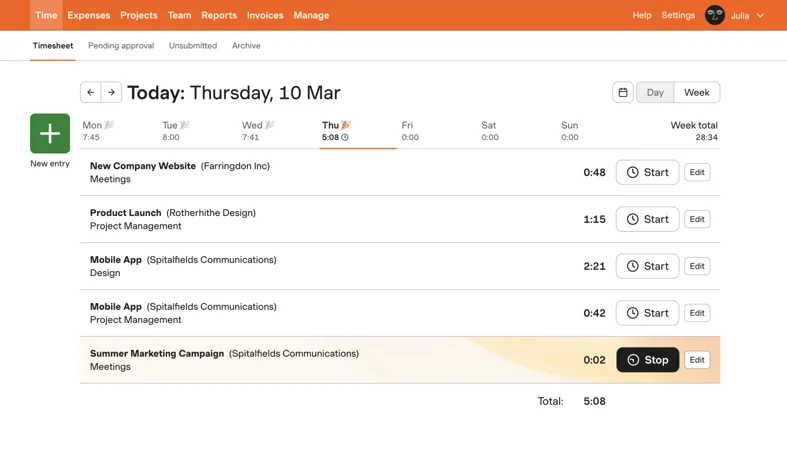
Harvest provides time tracking with the added benefit of invoicing and expense tracking, making it a strong choice for cleaning businesses managing multiple jobs.
Key Features
Time Tracking: Track time spent on cleaning tasks and projects.
Invoicing: Generate invoices directly from time logs.
Expense Tracking: Record and manage business expenses related to each project.
Project Reporting: Generate reports on time spent across cleaning jobs to better understand productivity and costs.
Integrations: Connect Harvest with accounting and project management tools to streamline billing and workflow management.
| Pros | Cons |
|---|---|
Easy Invoicing: Quickly create and send invoices based on tracked time. | Limited Advanced Features: Some users report that Harvest lacks deeper reporting features compared to other apps. |
Integration with Other Tools: Works well with project management and accounting tools. |
Pricing
Harvest offers simple pricing for teams that want straightforward time tracking and invoicing. There’s a free plan for one user and up to two projects, while the Teams plan starts at $9 per user/month, unlocking unlimited projects, advanced reporting, and integrations with popular business tools. A free trial is available for teams wanting to test the platform.
What users say
“I like that Harvest is kinda easy to use, which is pretty cool. It's got a nice API, and we're able to integrate it into some automation tools, which is pretty awesome.” Vidur R, Studio Lead, G2 Review
7. Deputy
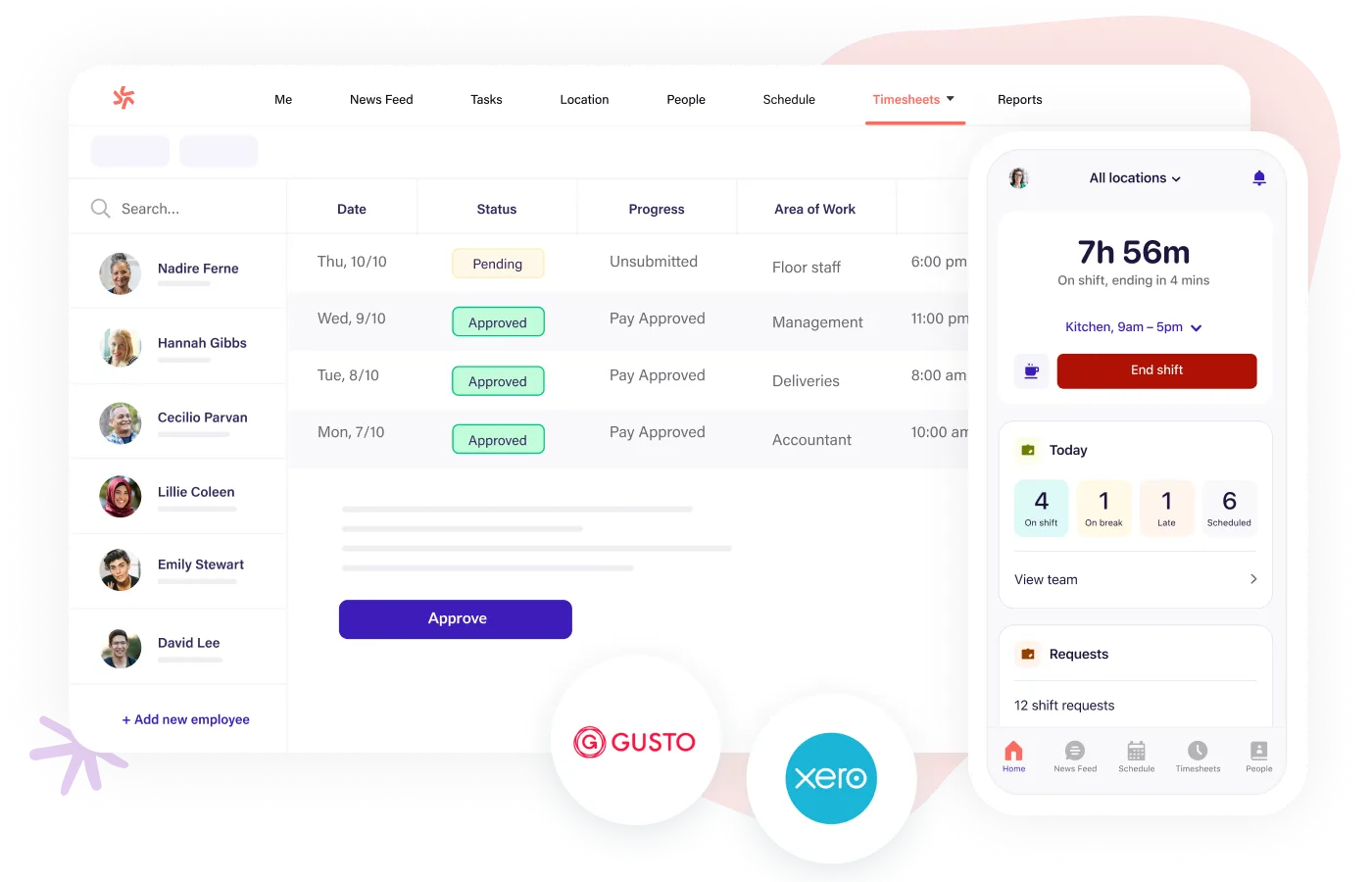
Deputy is an employee scheduling and time tracking app that can help cleaning businesses manage teams working across multiple sites, shifts, and client locations. Cleaning companies often coordinate staff across residential homes, office buildings, retail spaces, and other commercial facilities, and Deputy provides tools to organise schedules and track working hours in one place.
Key Features
Scheduling: Easily create and manage employee schedules.
Time Tracking: Track work hours in real-time with mobile and web apps.
Payroll Sync: Sync time data directly to your payroll system.
Shift Notifications: Automatically notify cleaners of new shifts, schedule changes, or open shifts via the mobile app.
Attendance Tracking: Monitor clock-ins, late arrivals, and missed shifts to maintain reliable staffing across cleaning sites.
| Pros | Cons |
|---|---|
Simple Interface: Easy to use for both employees and managers. | Basic Reporting: Lacks more advanced reporting capabilities found in other apps. |
Flexible: Adaptable for businesses of all sizes and industries. |
Pricing
Deputy offers flexible pricing for businesses that need employee scheduling and workforce management. Plans start at $4.50 per user/month for Scheduling, while the Time & Attendance plan starts at $6.50 per user/month. Businesses can also combine both features for $9.00per user/month
What users say
“Deputy is easy to use for managing my clock-in and clock-out times as well as tracking all timesheets and helping me prepare for my day by listing who I will be working with and when. I love that I have access to it on my phone for quick use everyday, so I can get to work as soon as I walk in the door”. Gabirella M, Vet Assistant, G2 Review
8. TimeCamp
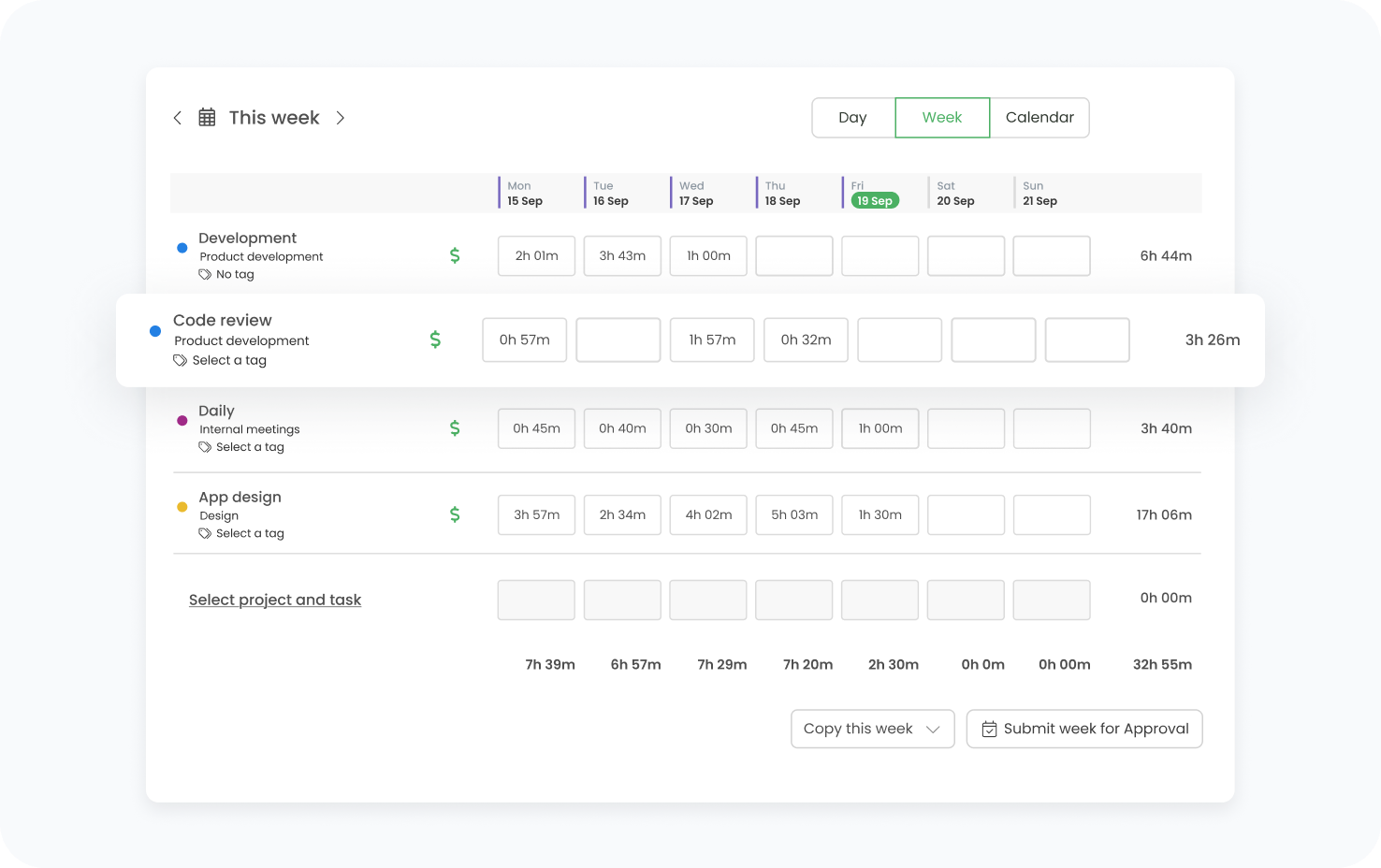
TimeCamp is a time tracking tool that can support cleaning businesses that need to monitor staff hours across multiple job sites while keeping visibility into team productivity. Cleaning companies often manage teams moving between residential homes, offices, retail locations, or commercial facilities throughout the day, and TimeCamp allows employees to log their working hours through a mobile app, desktop timer, or manual timesheets.
Key Features
Time Tracking: Record time for tasks and projects with ease.
Productivity Tracking: Monitor team productivity based on tracked time.
Detailed Time Reports: Generate reports on hours spent at each site or cleaning job to support payroll and job costing.
Task Categorisation: Organise time entries by cleaning tasks, clients, or locations for clearer operational insights.
| Pros | Cons |
|---|---|
Free Version Available: Core features are free for small teams. | Complex for Beginners: New users may find the platform a bit overwhelming at first. |
Comprehensive Features: Provides a range of tools for time management and productivity. |
Pricing
TimeCamp offers flexible pricing for teams that need time tracking with reporting and productivity insights. There is a free plan available for unlimited users, while paid plans start at $3.99 per user/month for the Starter plan.
What users say
“It assists me in recording the hours I have worked and logging my time. Also, the main thing I liked about Time Champ is I do not have to start it manually, as it starts automatically when I log in to my working system.” Perak J, Associate Team Lead, G2 Review
9. QuickBooks Time
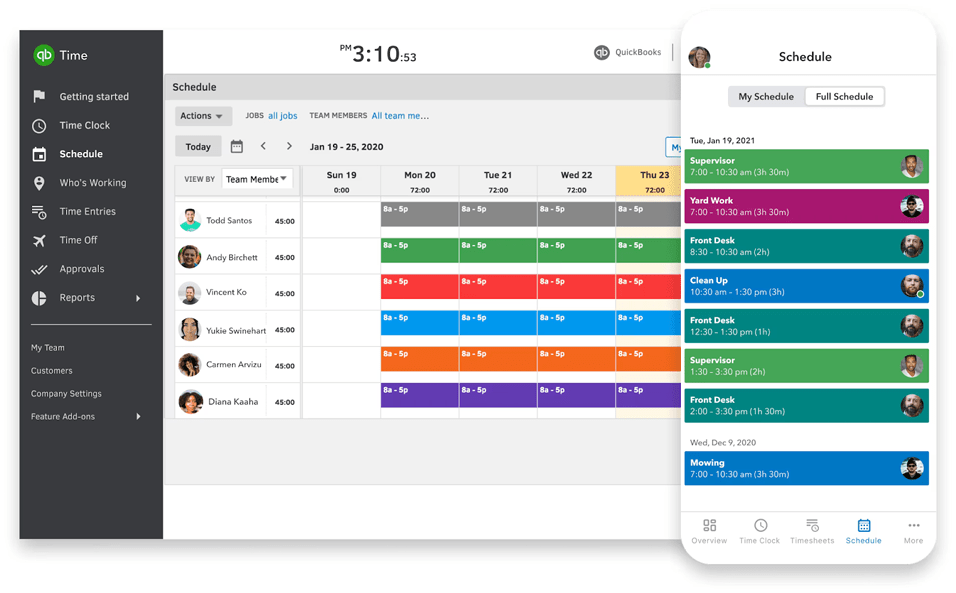
QuickBooks Time is a time tracking app that integrates with QuickBooks, making it ideal for cleaning businesses that already use QuickBooks to manage payroll, invoicing, and accounting.
Key Features
Time Tracking: Track work hours for employees in real-time.
Job Costing: Manage the cost of each cleaning job by tracking time and expenses.
GPS Location Tracking: Confirm where cleaners clock in and out to ensure accurate attendance across job sites.
Mobile Timesheets: Allow cleaners to log hours and switch between cleaning jobs directly from their mobile devices.
| Pros | Cons |
|---|---|
Integration with QuickBooks: Ideal for businesses already using QuickBooks. | No Separate Mobile App for Field Teams: The mobile app may not offer as many features as needed for field teams. |
Mobile App: Perfect for teams working in the field. |
Pricing
QuickBooks offers tiered pricing designed for small businesses that need accounting and financial management tools. Plans start at $19 per month for the Simple Start plan, while higher tiers such as Essentials ($37.50/month) and Plus ($57.50/month.
What users say
I love the level of ease when using QuickBooks Time. It's very user-friendly and accurate. Time off requests are easy for staff to enter and for admins to review. I find it very easy to navigate, and it works well for our business and employees. Brittany R, General Manager, G2 Review
10. Paycor
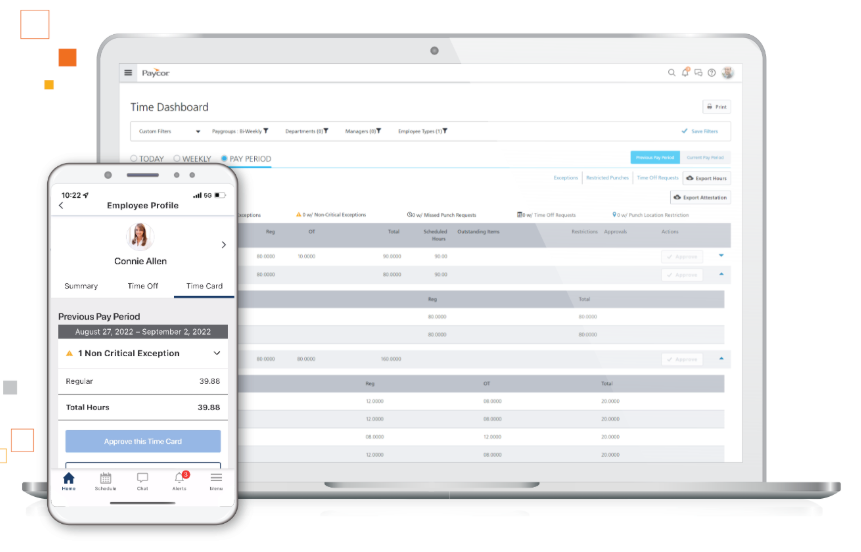
Paycor provides a robust workforce management and payroll solution for cleaning businesses that need to track staff hours across multiple job sites while handling payroll and HR tasks in one platform. Cleaning companies often manage large teams working across different buildings, shifts, and client contracts, and Paycor helps bring time tracking, scheduling, and payroll processing together in a single system.
| Pros | Cons |
|---|---|
Easy Payroll Integration: Smoothes payroll processes for businesses. | Customization Limitations: May not offer as many customizations as other apps. |
User-Friendly Interface: Intuitive for both managers and employees. |
Pricing
Paycor offers tiered pricing for businesses that need payroll, HR, and workforce management tools in one platform. Pricing is customized based on company size and selected features.
What users say
“It is very simplistic and an application that can be used by any age group. This aspects allows a broader range of users accessibility to systems that may have previously been outdated or even too modern. It allows a middle ground to which all users can be guaranteed. PayCor encourages production due to its easy-to-use interface and software.” Zahria D, Team Member, G2 Review
Choosing the Right Time Tracking App for Solar Installation Businesses
Selecting the best time tracking app can make a major difference in how smoothly your cleaning business operates. From verifying job site attendance to simplifying payroll, the right platform helps reduce administrative work while improving accountability across your team.
As you evaluate different options, focus on features that address the realities of the cleaning industry.
GPS and geofencing help confirm that cleaners are on-site and clocking in from the correct location, reducing time fraud and ensuring accurate job records.
A mobile time clock allows teams to clock in and out easily from their phones, even when working across multiple job sites or in low-signal environments using offline mode.
Task and project tracking provides visibility into how long specific cleaning tasks take, helping businesses improve efficiency and produce more accurate client invoices.
Scheduling integration ensures cleaners clock in according to their assigned shifts while giving managers real-time insight into who is on-site and when.
And reporting with payroll sync removes manual data entry by turning tracked hours into accurate payroll and job reports.
When these capabilities are combined in one platform, cleaning businesses gain better oversight of their workforce while reducing administrative overhead.
This is exactly how companies like Extreme Janitors use ClockShark to manage their workforce. GPS verification ensures cleaners clock in only when they arrive on-site, while the mobile time clock and offline mode allow staff to track hours reliably even in low-signal environments.
On the back end, reporting and payroll integrations export accurate time data directly to payroll and invoicing systems. This reduces manual admin, improves billing accuracy, and ensures employees are paid correctly and on time.
If you’re looking for a time tracking app that simplifies operations while giving you clear visibility into your workforce, ClockShark offers a solution designed specifically for cleaning businesses.
Explore ClockShark’s time tracking platform to improve scheduling, strengthen accountability, and ensure accurate time tracking across your cleaning teams.